Hej
Tak for din henvendelse.
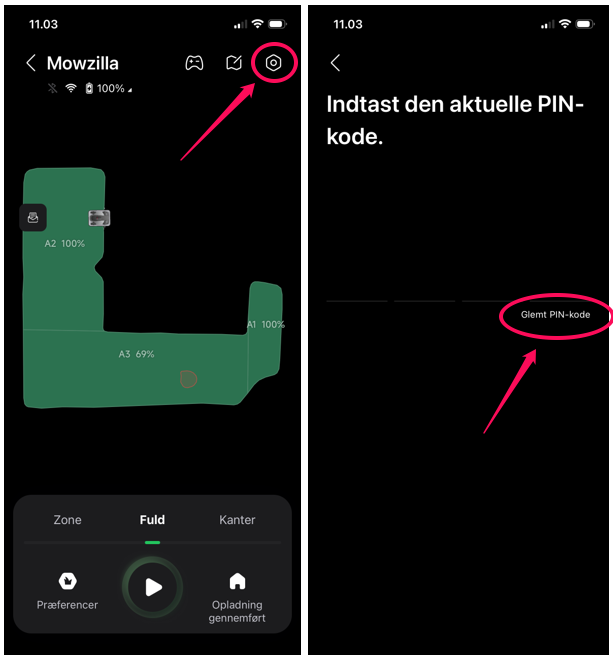
Du kan skifte robottens PIN-kode via din app.
Enhed>Vælg robot>Indstillinger(tandhjul øverst, højre)>Sikkerhed og tyverisikring>Skift Pin-kode>Glemt PIN-Kode.
Her skal du skrive din adgangskode til login i appen og herefter kan du skifte PIN-koden.
Was this article helpful?
That’s Great!
Thank you for your feedback
Sorry! We couldn't be helpful
Thank you for your feedback
Feedback sent
We appreciate your effort and will try to fix the article